* If you are a Bronze member or above, you can read the following articles without advertisements.
We will update the KYC procedure below.
1. Preparation of required documents
According to the information published by the company, only the following KYC documents are accepted in order to comply with legal and regulatory requirements (the list of accepted documents is adapted to Japan)
Proof of identification,
Proof of address.
The details are provided individually below.
❶ Proof of identity
Accepted Documents
passport
Driver's license
Important: You'll need to scan the entire page of your ID. In the case of a passport, make sure that all the four corners of the open state are covered by the photo.
Documents not accepted
Residence permit
Donor ID card
TAX ID Card
Voter ID card (*except in countries where personal authentication is mandatory, which is introduced and accepted nationwide),
Travel vouchers
Temporary ID cards, etc.
prerequisite
The following must be clearly indicated: ・Personal photos ・ All personal names (full name) ・Date of birth - Document number - Expiration date of documents (if stated on each document) - If the expiration date has been extended, please upload the main ID page and the page with the extended expiration date in one file. - Machine-readable parts
Significant: We only accept images that are scanned in high resolution, with clarity and all the details visible. KYC documents should be free of pixels and dot patterns. All scanned KYC documents must be in color.
❷ Proof of address
Accepted Documents
Upload only one of the following documents:
documents issued by the bank not older than 3 months;
Documents issued by the municipality/government agency/tax office, not older than 3 months;
Utility bills (electricity, gas, water) within 3 months;
Other government-issued documents with full name and address (e.g. valid certificate of residence, driver's license, note: these are written in Japanese and must be translated and accompanied by a translation certificate)
Documents not accepted
The following documents will not be accepted as proof of address:
Telecom Carrier Invoice
Courier and postal receipts
Documents issued by the following organizations:
Pension Fund ◦ Insurance Agents
Insurance Agents
Securities Firms, Investment Funds
companies that provide money transfer services (Western union, Moneygram, IRemit, etc.);
Schools, Colleges and Universities;
Receipts/invoices from stores, clinics/hospitals, pharmacies, including e-shops;
Credit/debit card statements issued by the store chain;
Taxes on pets and cars
Rental/Lease Agreements
Car fines and tickets
Notarized deeds, etc.
prerequisite
You should be able to clearly see the following:
Publication date
Official letterhead/logo of the issuing agency
IMA Member's Individual Name
Detailed address (country, postal code, prefecture, city, street)
Significant: We only accept images that are scanned in high resolution, with clarity and all the details visible. KYC documents should be free of pixels and dot patterns. All scanned KYC documents must be in color.
Your KYC documents must meet the following criteria:
Handwritten documents will not be accepted. Please prepare a printed one.
All submitted KYC documents must be written in English. Otherwise, you will need to submit an official translation in English, signed and stamped by a certified translator, uploaded to a single file along with a copy of the original.
Please note that you cannot use the same document for identification and proof of address ( example - If you upload your driver's license to the ID field, you will not be able to use it as proof of address. )
Copied identification cards will not be accepted if they are not properly certified/notarized (signed and stamped).
Black and white images of documents will not be accepted. All details must be clearly legible and in color.
Only JPEG (.jpg) and PNG (.png) document formats can be uploaded.
The maximum file size of a document is 2 MB.
significant : A common oversight is that the address in English must always include "Zip Code" and "JAPAN". Please be careful.
2. Proof of identity Upload
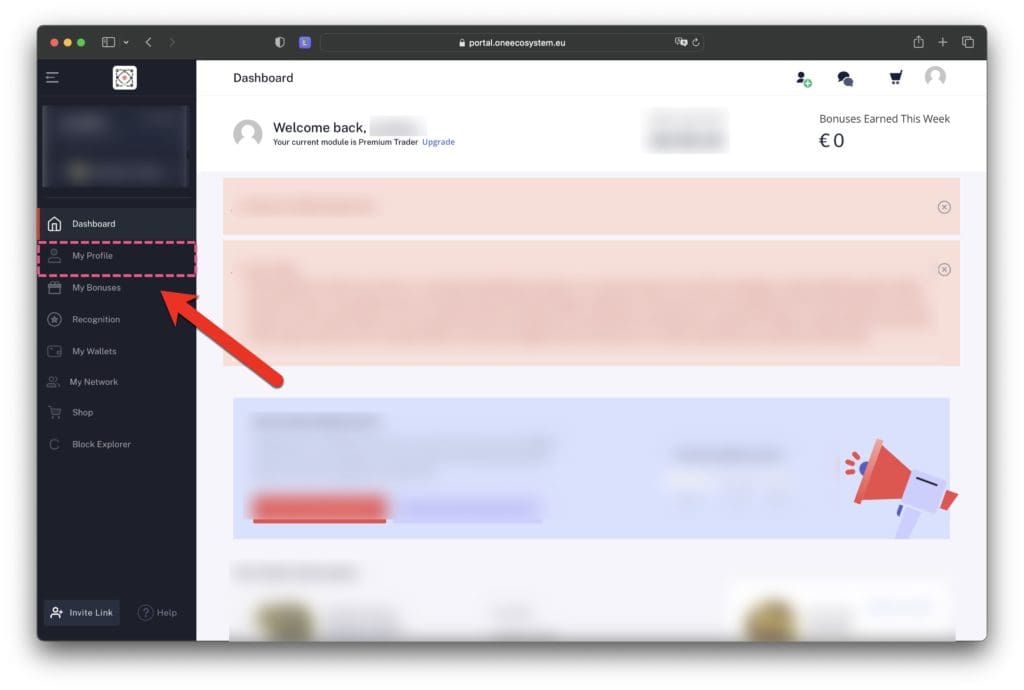
1. Click on "My Profile"
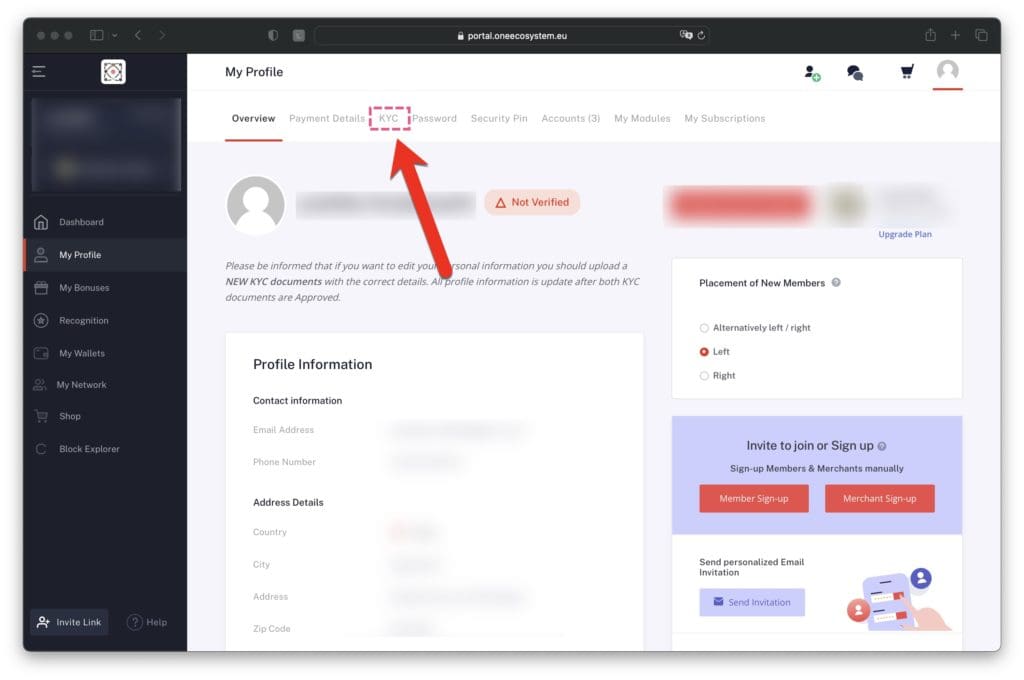
2. Click on "KYC".
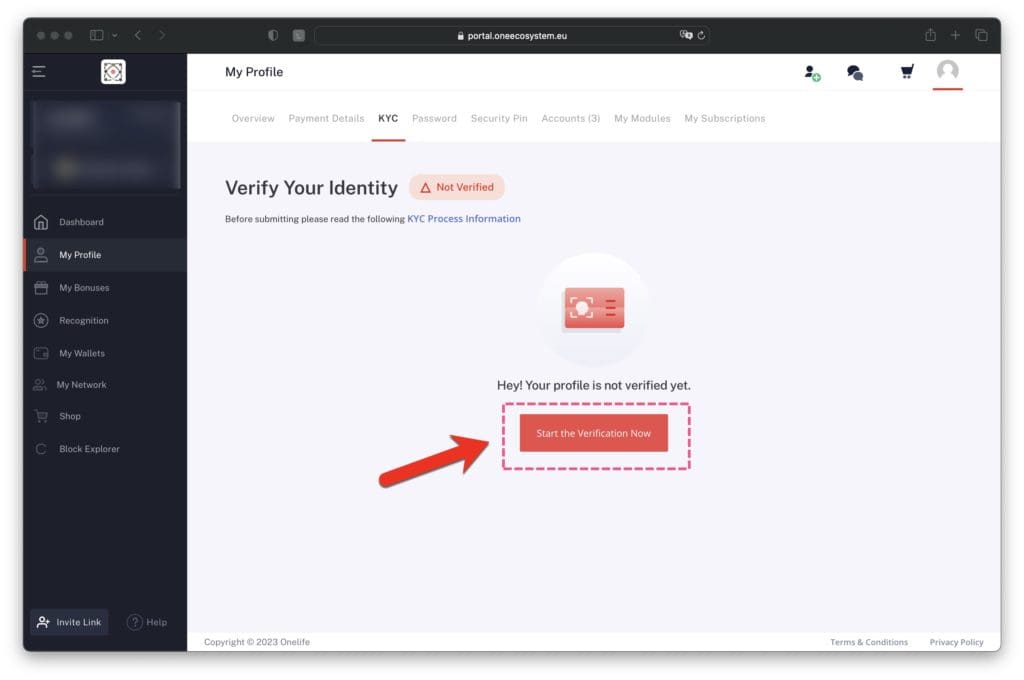
3. Click Start the verification now.
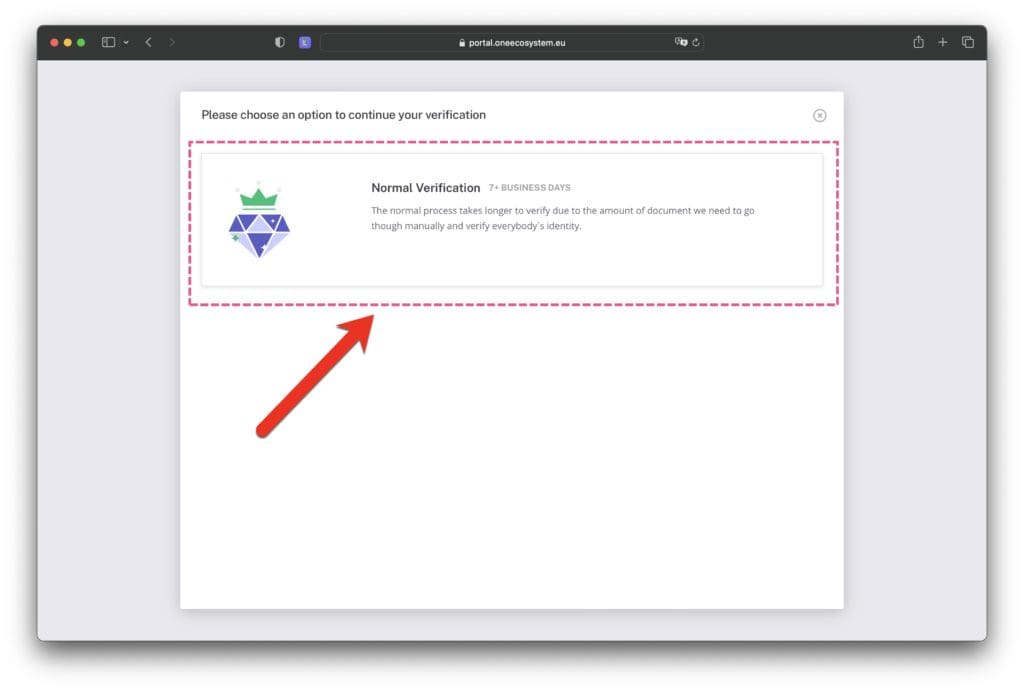
4. Click Normal Verification. It is stated that it will take more than 7 days, but as of March 2023, approval has been confirmed within 1 week.
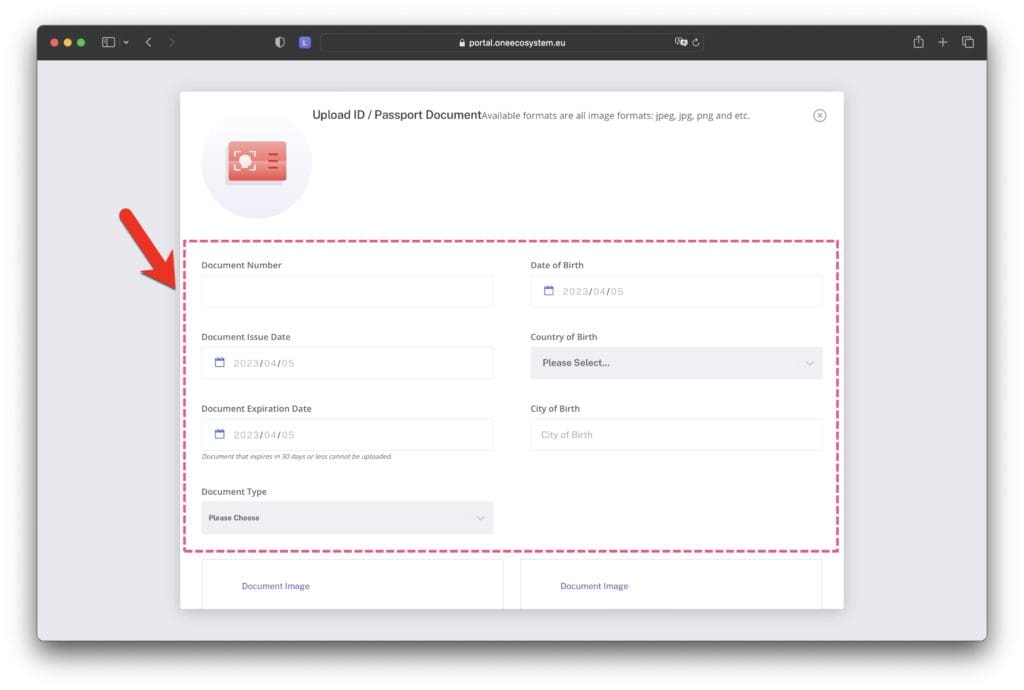
5. Fill in the information on your ID.
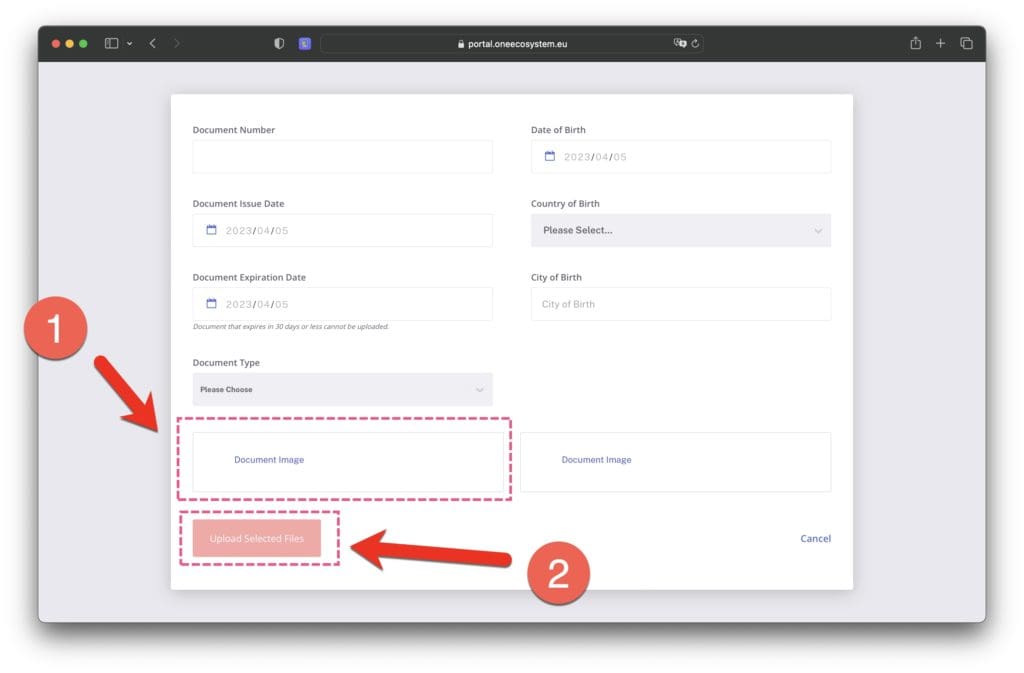
6. Upload a photo of your ID.
Click ❶ below to select an image file, and then click "Upload Selected Files" in ❷.
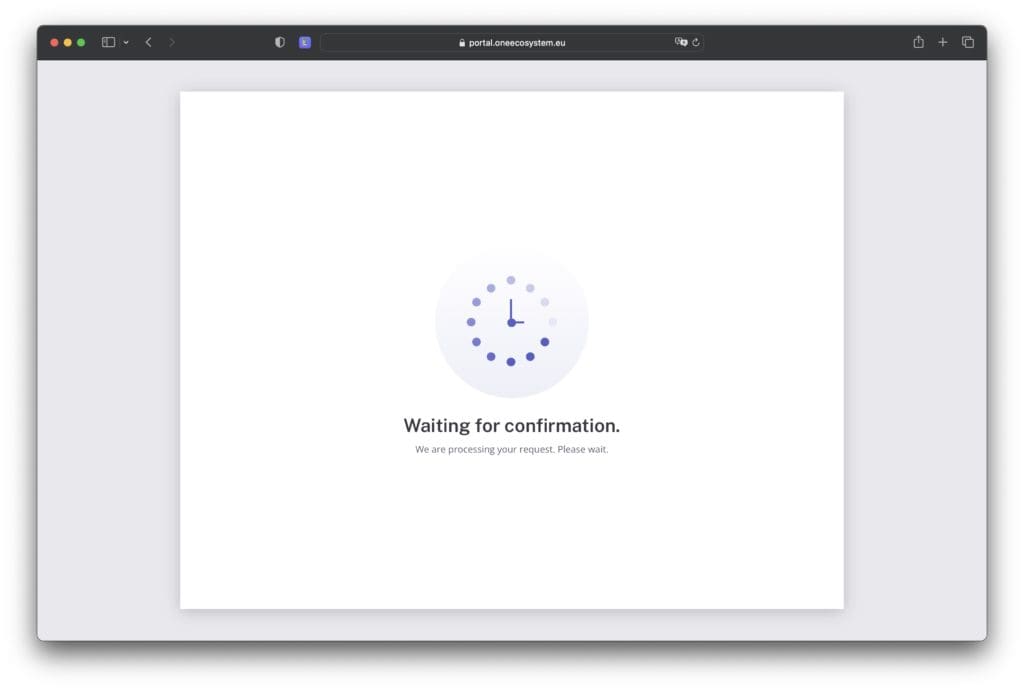
7. Wait for the upload to complete.
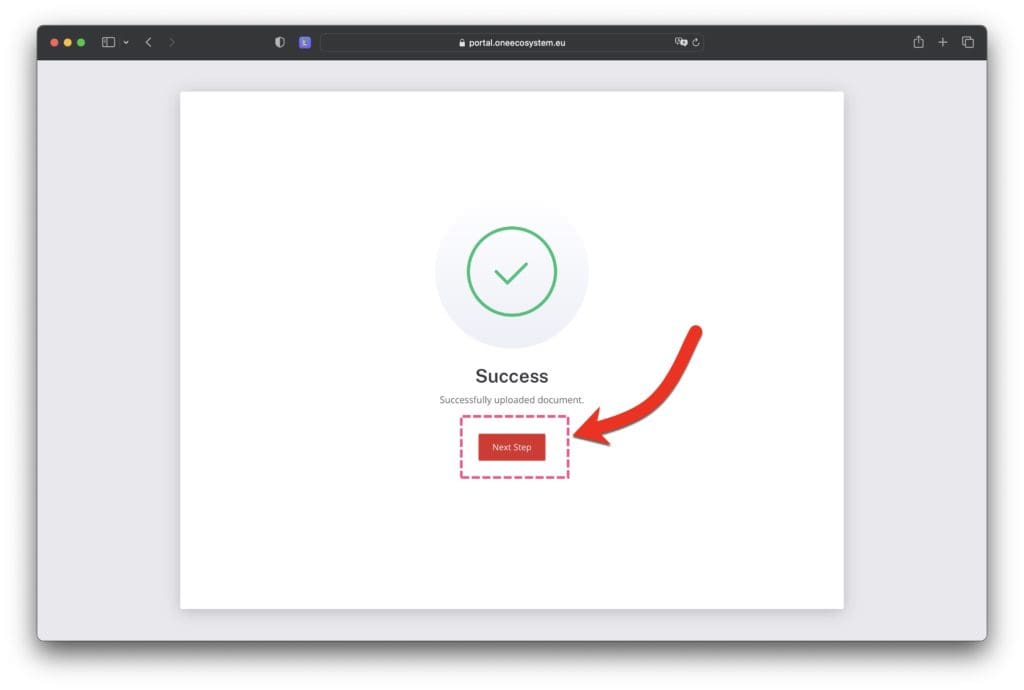
8. When the upload is complete, the following screen will be displayed, so click "Next Step".
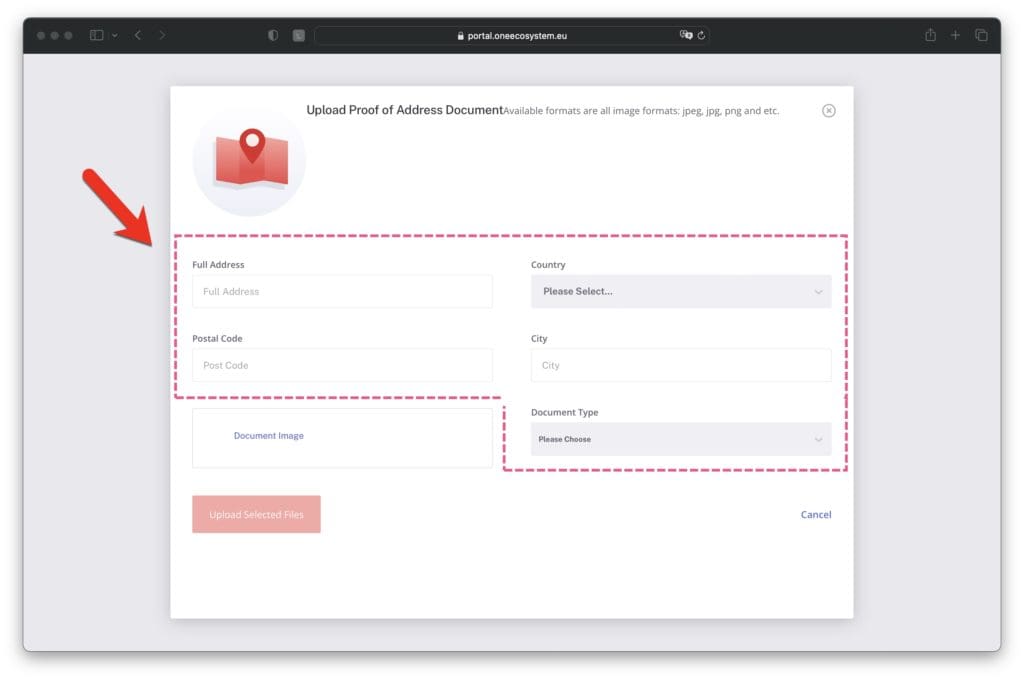
9. Next, you will be asked to upload a document to prove your address, so fill in the information on the document.
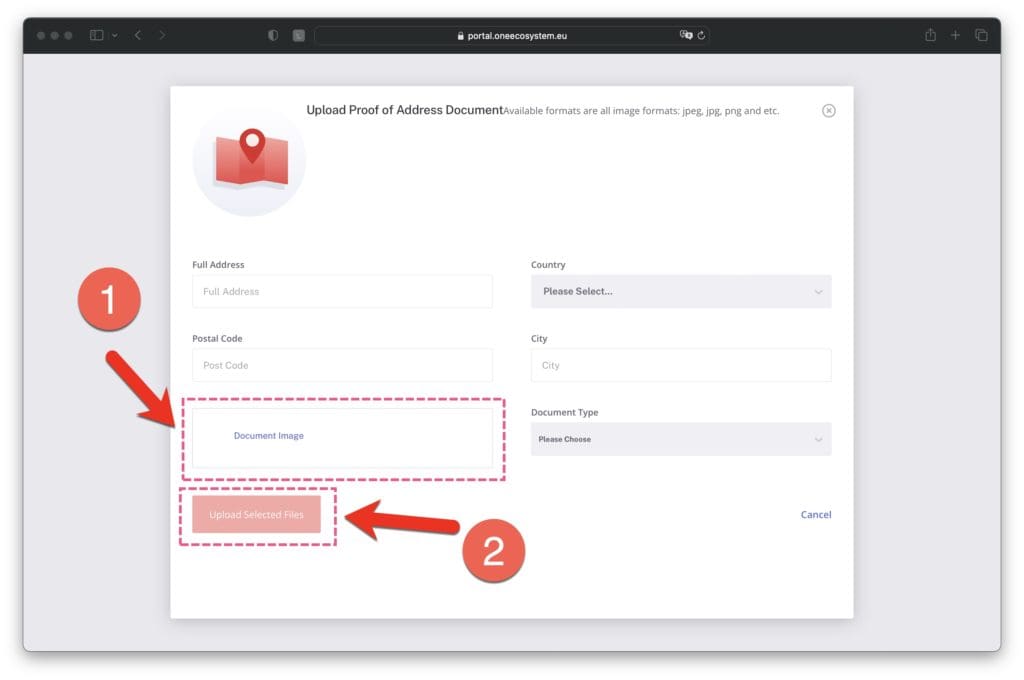
10. Upload your image and submit the form.
Click ❶ below to select an image file, and then click "Upload Selected Files" in ❷.
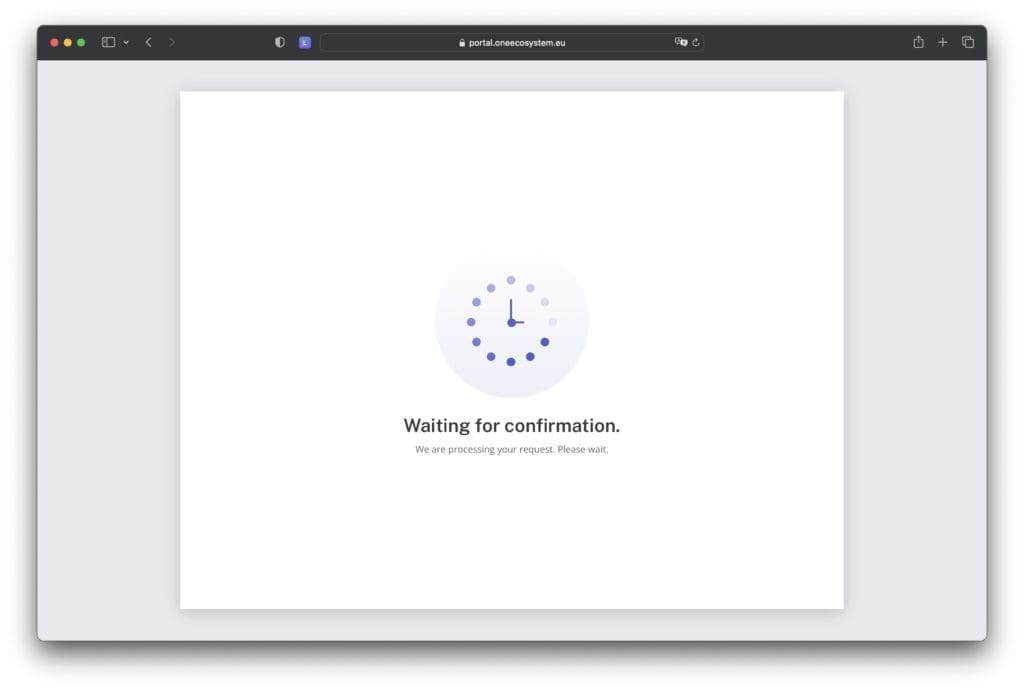
11. Wait for the upload to complete.
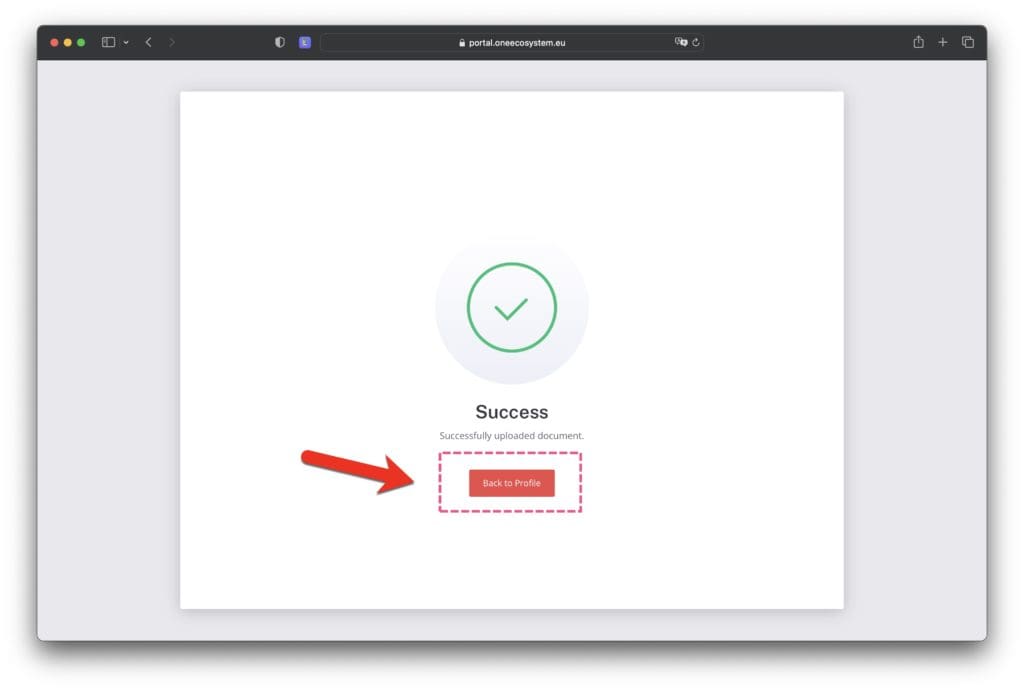
12. When the upload is complete, the following screen will be displayed, so click "Back to Profile".
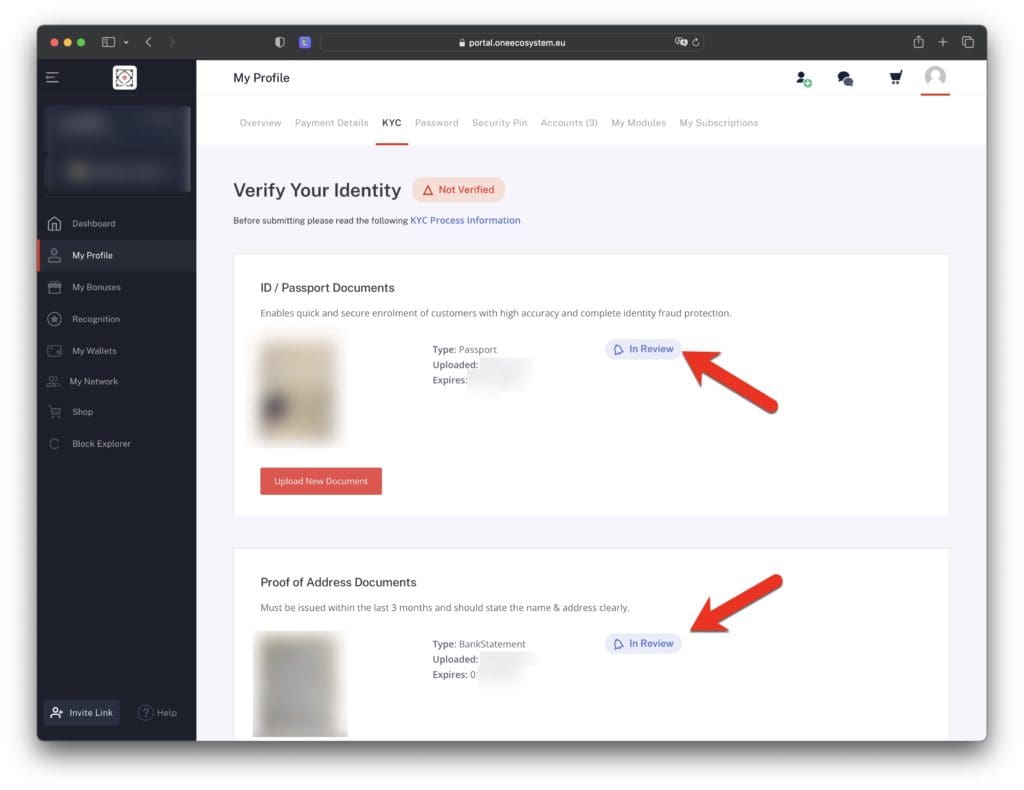
13. Click on the "Back to Profile" button above and you will see the documents you are applying for as shown below.
In Review indicates that it is pending review.
Please open this screen to check the status of your application periodically. If your document is incomplete, it will be marked as Rejected in red and you will need to upload it again.
These are the steps on how to apply for KYC. If you can apply by yourself, please refer to the above procedure to complete the application process. If you are unable to apply by yourself, you can apply for ONEJAPAN on your behalf.
3. Proxy for KYC application
If you can apply for KYC by yourself, it is free, so please refer to the above procedure and apply by yourself. Please note that the agency is limited to those who cannot apply for KYC by themselves.
In order to apply for KYC on your behalf, you will need to log in to your account, so you will be asked to provide your email address and password using a specific form. If you can't log in, please be able to log in first.
Once you have completed the KYC application process, please be sure to change your password.
About agency fees.
KYC agency charges the following fees.
Platinum Supporter Members: 0 yen
Gold Supporter Member: 500 yen
Silver Supporter Member: 1,390 yen
Bronze Supporter Member: 2,980 yen
Non-members with platinum assistance: 3,980 yen
Free Member: We will release the manual for free.
This is the process of applying for KYC. If you have any questions, you can contact us in one of the following ways:
❶ Platinum Supporter: Jose's personal LINE (to be announced separately) ↓ ❷ Gold Supporter: LINE for ONEJAPAN members https://urlkai.com/ojline ↓ ❸ Solver Supporter: Help/AI Support https://urlkai.com/ojhelp ↓ ❹ Bronze Supporters: Closed Forums https://urlkai.com/forum ↓ ❺ Free Supporter Membership: Free Question Corner https://urlkai.com/free * Each supporter member category can also be used to inquire about the category below. You can choose the one that is easy to use.
Advertisements are displayed in order to cover part of the maintenance costs of the ONEJAPAN website.
【Hide ads and read private articles】You can browse the contents of the site without ads by subscribing to a Bronze Supporter member for 500 yen a month. Thank you for your consideration.
Providing accurate information to the OneEcosystem community in Japan, sharing knowledge and facilitating member participation and improved experiences.
Providing accurate information to the OneEcosystem (formerly OneLife) community in Japan, sharing knowledge and facilitating member participation and improved experiences.
To the top
Need help? Please contact our help desk.
wpDiscuz
0
0
Please let us know your comments and opinions about this article. x




































 Copyright © 2020 – 2026 All Rights Reserved


 Copyright © 2026 All Rights Reserved