How to register for ONEJAPAN

How to register as a supporter of ONEJAPAN

* If you are a Bronze member or above, you can read the following articles without advertisements.
How to register for ONEJAPAN

OneEcosystem IMAの皆様、

Thank you for your continued support of ONEJAPAN.

We have received multiple inquiries, so we have created a manual. Below is a guide on how to register for ONEJAPAN.

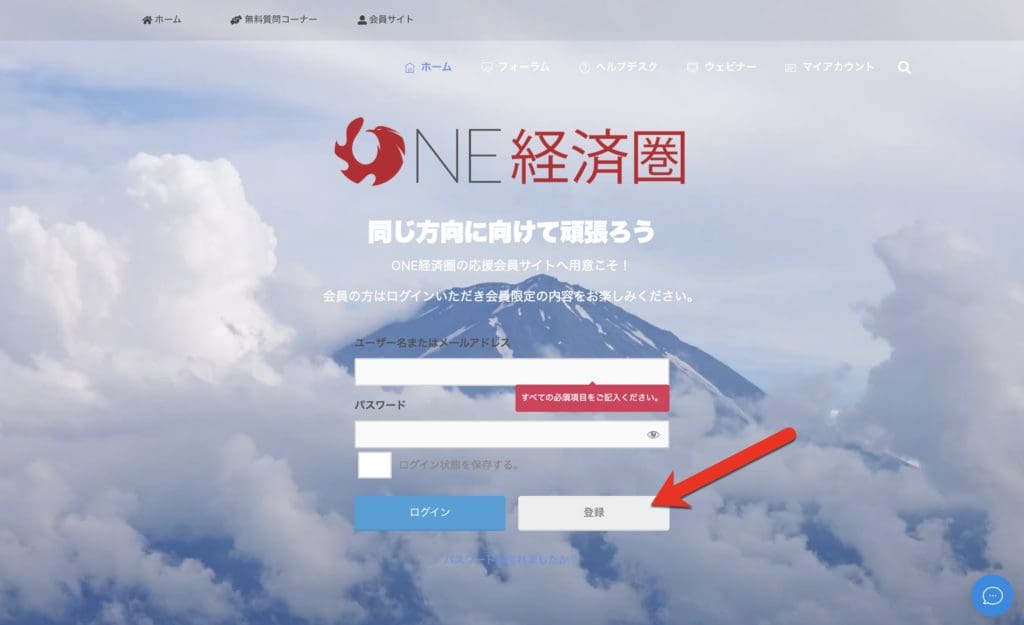
1. Open the registration form.

2. Select the support plan you want and click the registration button.

Please check the terms of use and the contents of each plan before clicking the registration button. If you have any questions, please feel free to contact us.
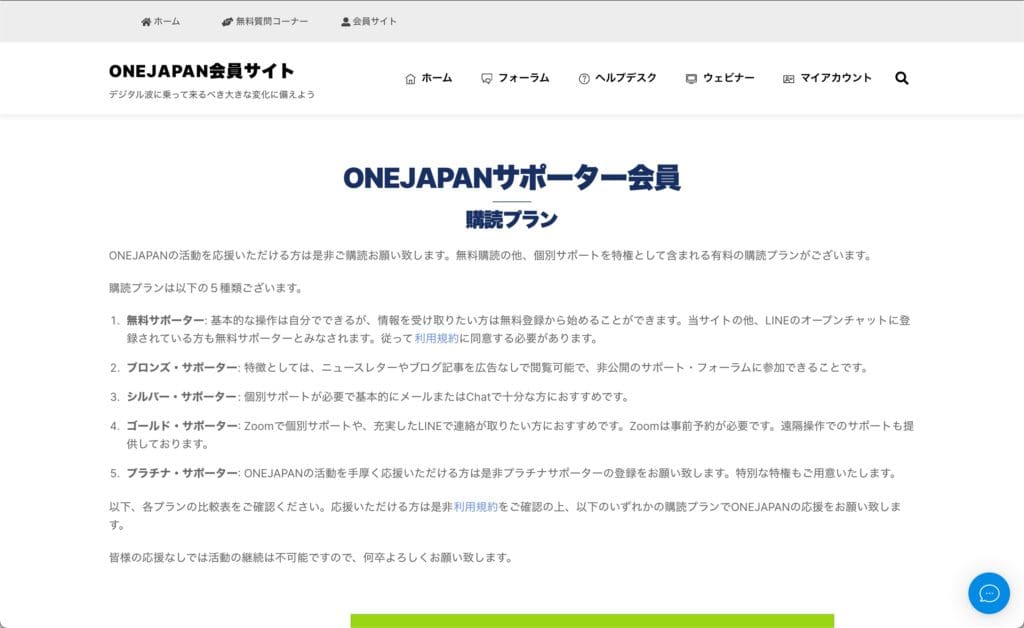
ONEJAPAN Registration Method  Plan List

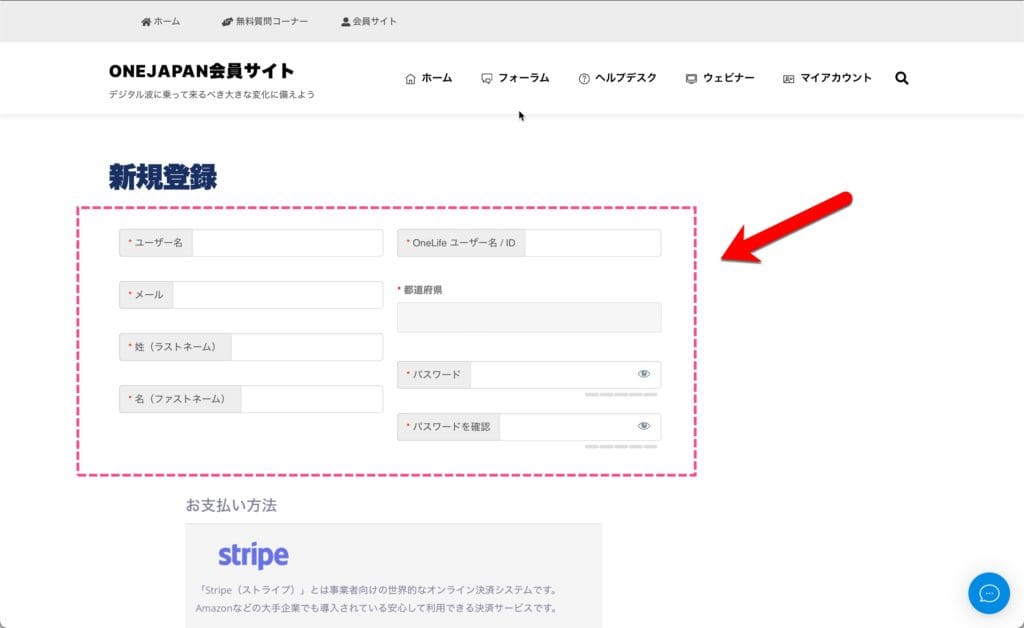
3. Please fill in the required fields.

ONEJAPAN Registration Method  Registration Information

4. Fill in your payment information.

Since card payment is made via Stripe, card information is not sent or recorded to ONEJAPAN.
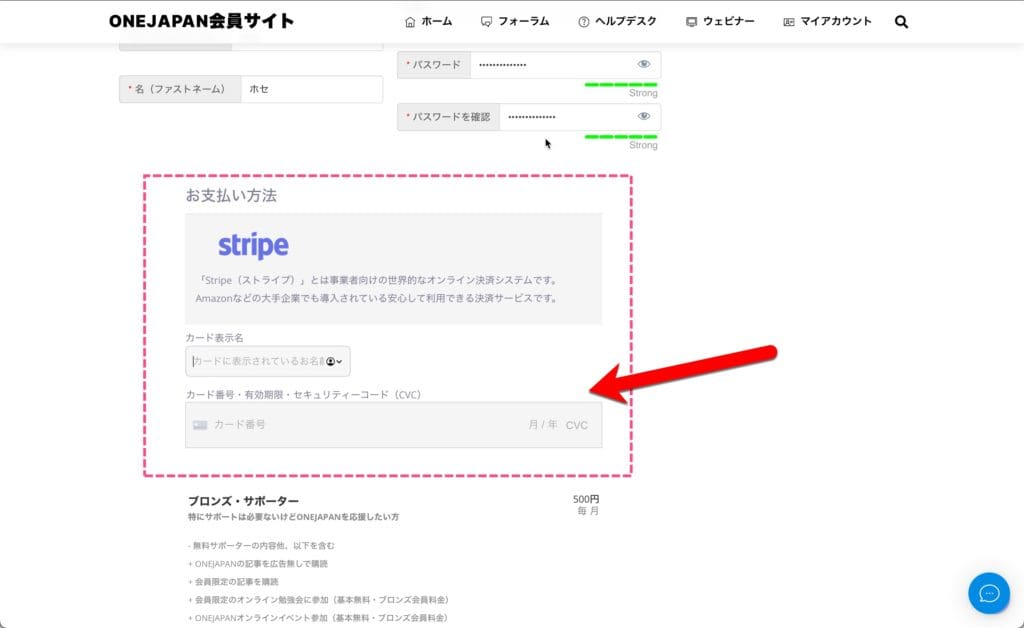
ONEJAPAN Registration Method  Payment with Stripe

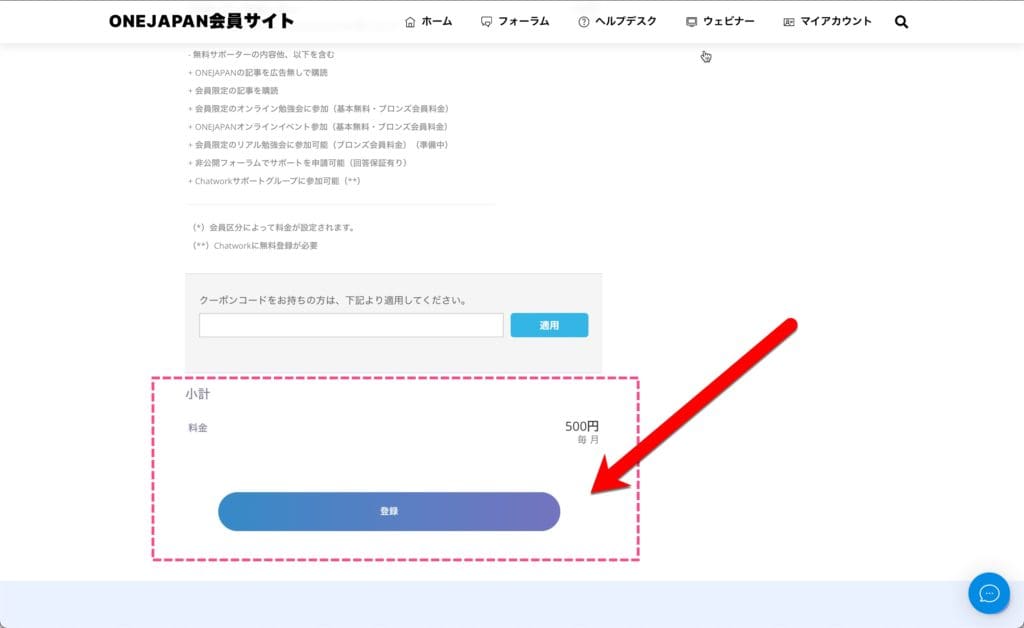
5. Confirm the payment amount and click the "Register" button.

ONEJAPAN Registration Method  Registration Button
Please click the "Register" button only once. Please note that if you click multiple times, you may be charged for it.

Important: Do not click on the button while the "Please wait" message is displayed.

Please note that if you click the button again while the "Please wait" message is displayed, the card payment may be made for the amount of the click. Please contact us if you made a mistake in your card payment. The refund amount will be the amount after deducting the card transaction fee.
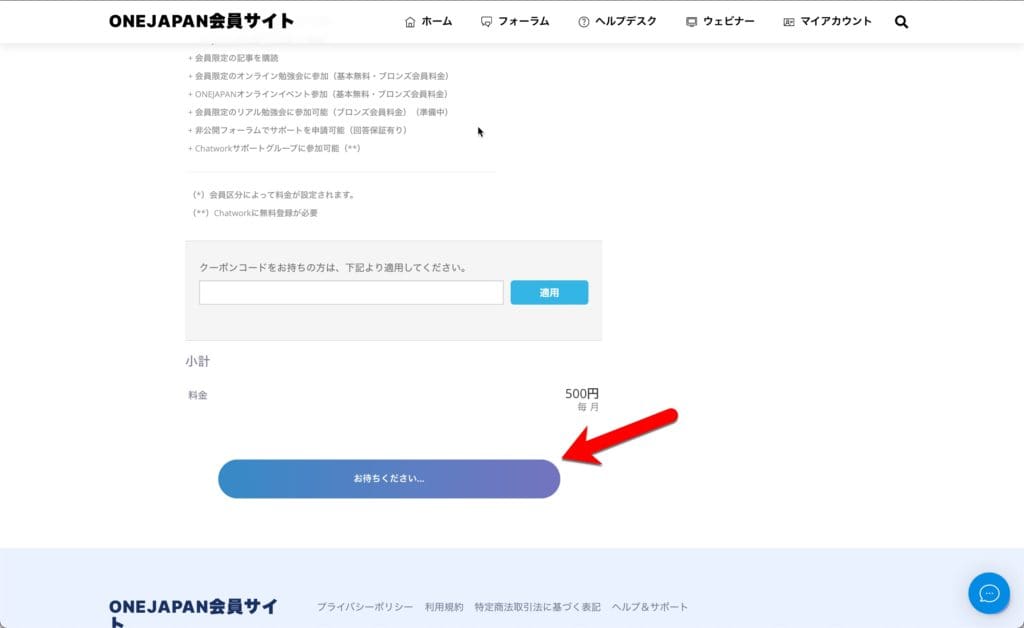
ONEJAPAN Registration Method  Please Wait

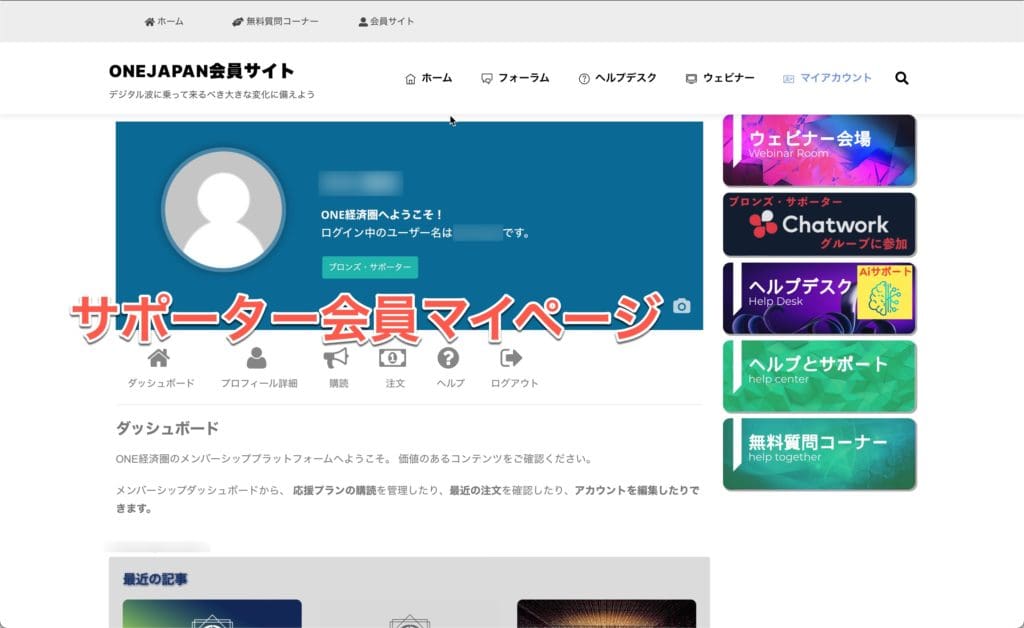
6. When the process is completed, you will be automatically logged in and redirected to the member's My Page.

ONEJAPAN Registration Method  Supporter Member My Page

This completes the registration process. From My Page, you can check support, check the latest articles, manage member registration, etc. You can also subscribe to ONEJAPAN e-mails. If you would like to subscribe to e-mail, please refer to the following steps (7).

7. You will receive two emails

"Welcome to the ONEJAPAN member site!" and "Would you like to receive e-mail information from ONEJAPAN?" You will receive two types of emails.
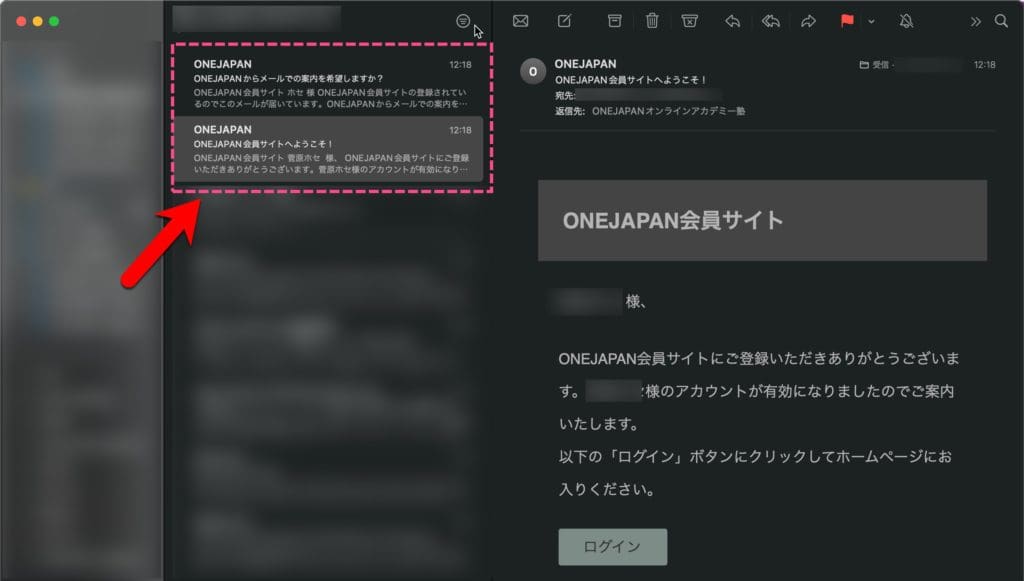
ONEJAPAN Registration Method  Subscription Confirmation Email

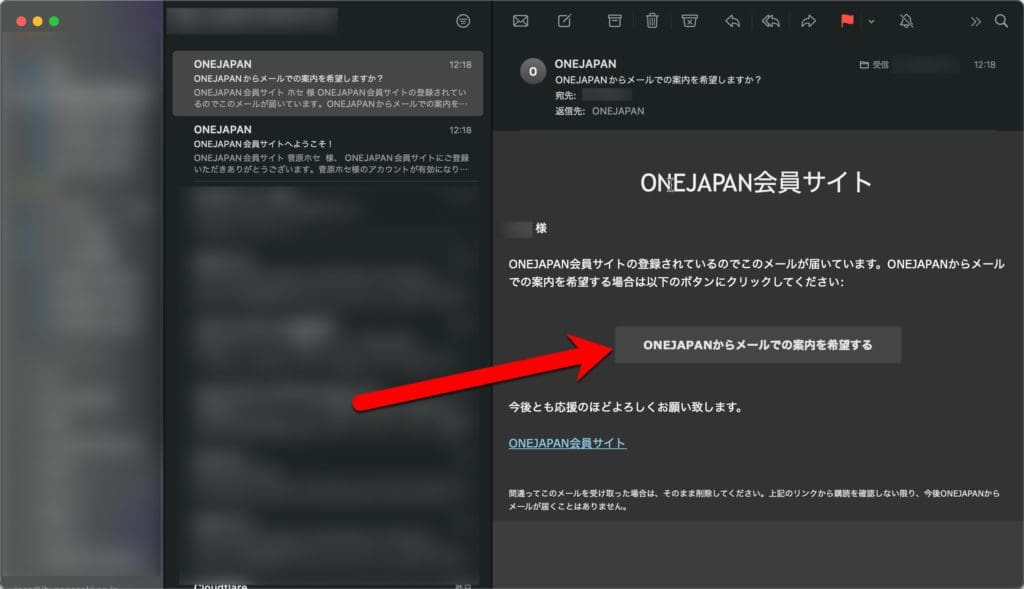
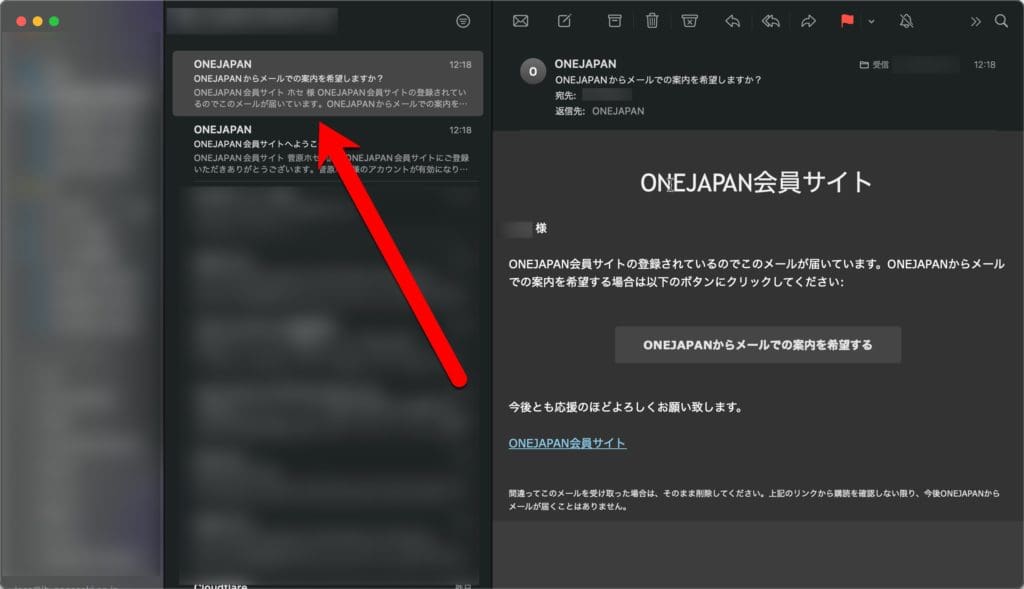
8. Open the email "Would you like to receive e-mail from ONEJAPAN?"

ONEJAPAN Registration Method  Registration Confirmation Email

9. Click the "I would like to receive e-mail information from ONEJAPAN" button.

ONEJAPAN Registration Method  Subscription Confirmation Email

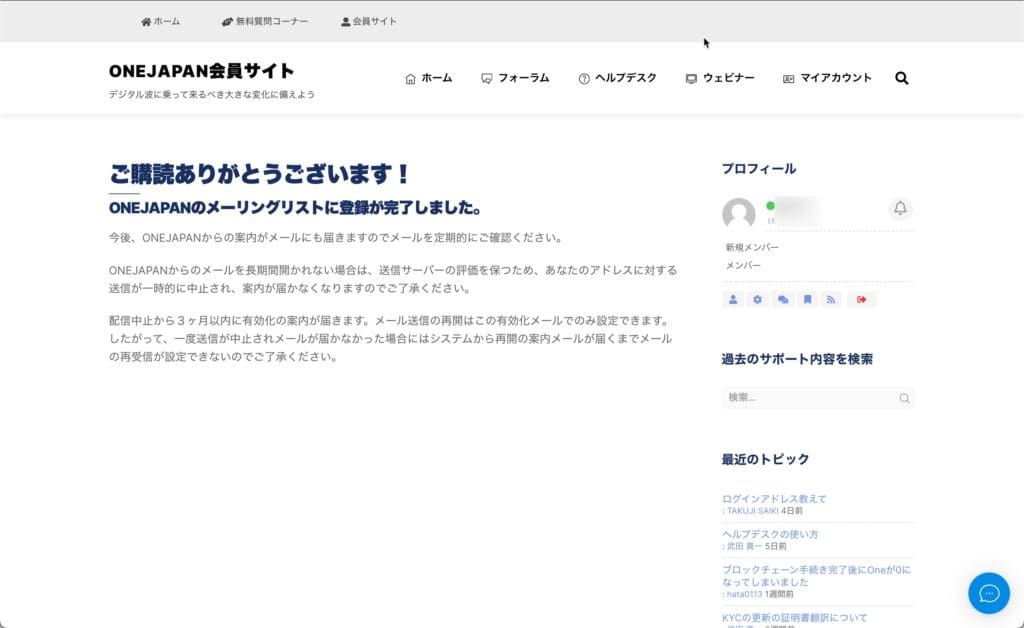
10. When the "Thank you for subscribing!" screen appears, the setting is complete.

Contact us

If you have any questions, please feel free to contact us.

Questions about the above article

Questions related to the above article require a subscription of Bronze Supporter or higher.
Please log in or sign up.
Sign up
Stylized red and gray logo featuring a 3D geometric design with overlapping shapes. Copyright © 2020 – 2026 All Rights Reserved

Providing accurate information to the OneEcosystem community in Japan, sharing knowledge and facilitating member participation and improved experiences.
To the top
magnifiercross

Need help? Please contact our help desk.

0
この記事に関するコメントやご意見お聞かせください。x